Data · Data Tree macro
Every config file your team argues about, readable by everyone
With Data Tree you stop pasting application.yml,
pyproject.toml, package.json or a SOAP payload into a page
badly. Any of the four renders as the same browsable tree, so your document explains the
structure instead of hiding it in a code block - and your readers learn one way of
reading it.
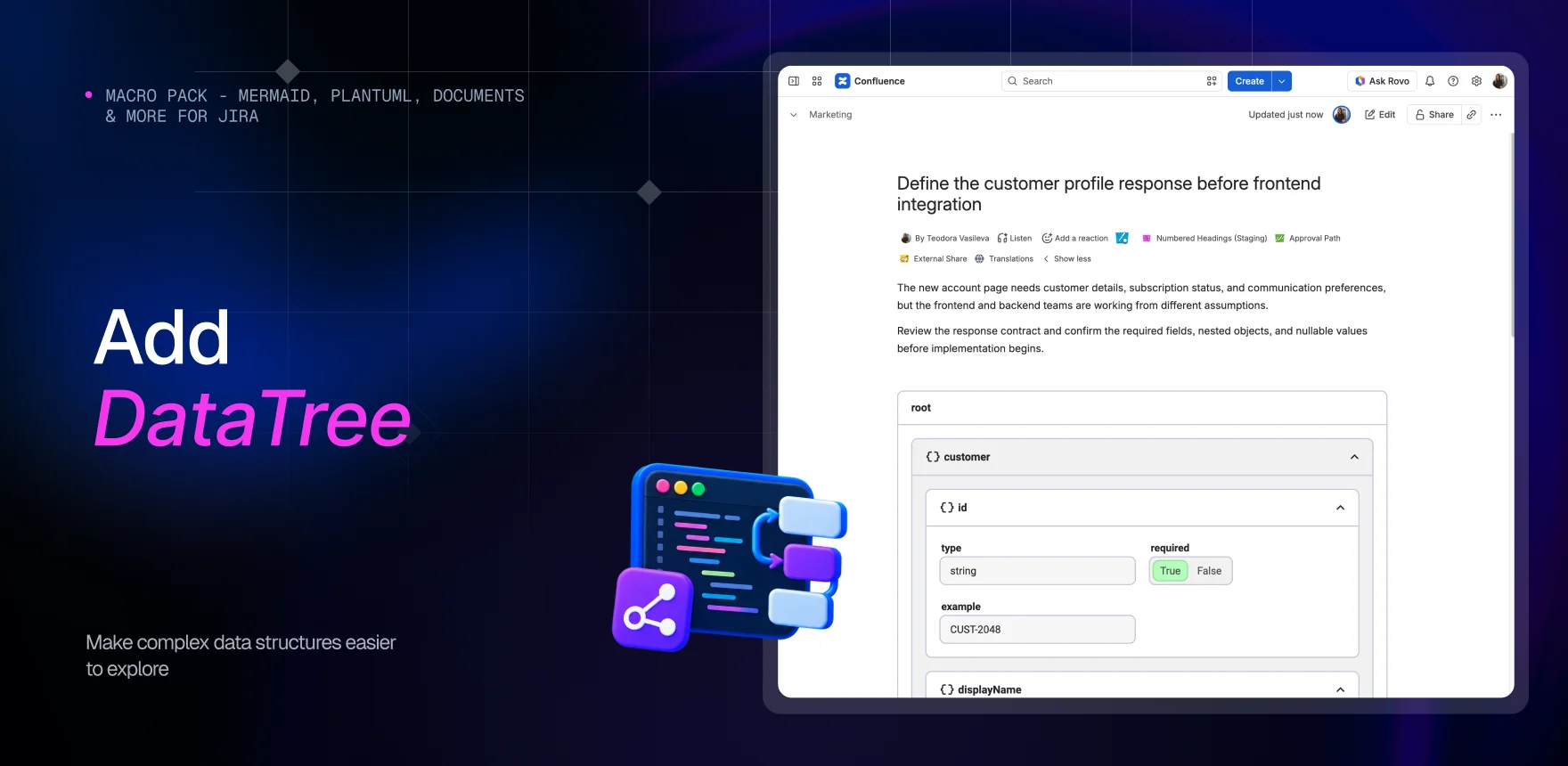
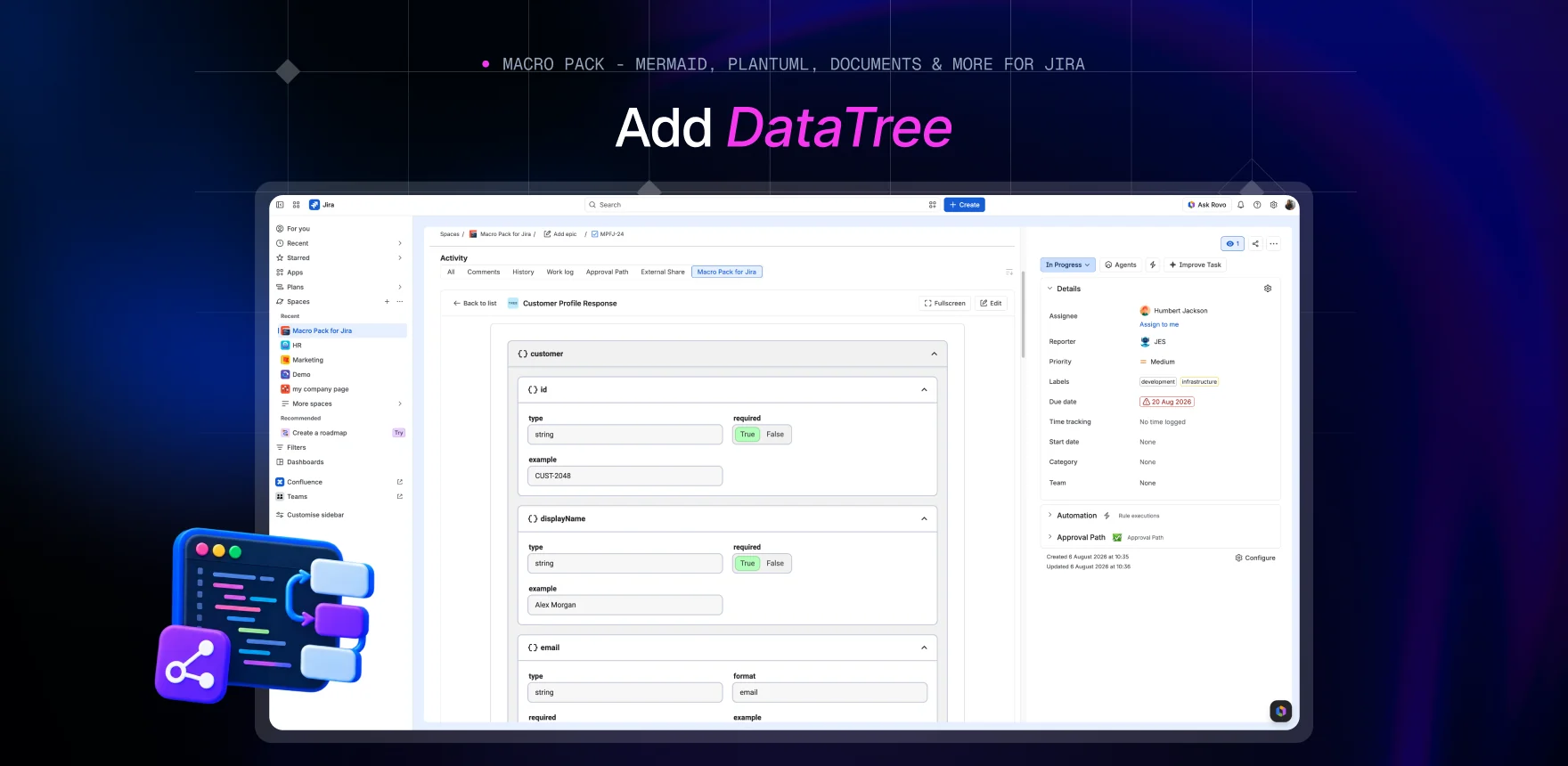
Your readers learn one way of reading structure and use it everywhere
Your stack does not use one format and your documentation does not have to either. The same macro parses JSON, XML, YAML and TOML - XML keeps its attributes, and a YAML file holding several documents stays legible - so a reader who has understood one page understands the next, whatever format it came from.
Readers fold away everything you are not discussing
Objects and arrays become branches a reader can collapse, and values sit at the end where they are easy to compare. Name the root node after the thing it actually is - a service, an environment, a request - and your tree reads like an explanation rather than a dump.
The tree reads as part of your page, not a box on it
Drop the outer frame and the tree flows with your text instead of announcing itself as an embed. Flip the shading between levels for depth you can see at a glance, stretch values to the full width when they are long, and fix the height so a big file never swallows the rest of your document.
Your documentation stops lying the day the file changes
Documentation that quotes a config file starts lying the moment the file moves on. Point the macro at the real thing instead - a page attachment, a URL, Google Drive, or an S3 bucket, SFTP server or database connection an admin set up once, so no credential goes near a page - and your page is right every time it is opened. It is read-only by nature, so nobody edits your configuration from a page or a work item either.
What the other viewers leave you stacking
Confluence's structured-data viewers are JSON viewers. One of them adds XML; TOML has no viewer on the Marketplace that we could find, and YAML only turns up inside OpenAPI renderers, where it is a spec rather than a file you can browse. Cover your four formats that way and you are stacking apps, licences and differently drawn trees on the same page. Here you get one macro that reads all four - and unlike the viewers, which take a paste, an attachment or a URL, it reaches the file where it actually lives: Google Drive, an S3 bucket, an SFTP server or a database an admin connected once, the same connection every other macro in the pack uses.
Data Tree is one of 31 macros in Macro Pack
One app to install, one licence to renew, one place your team learns - and 30 more formats it already reads, from spreadsheets and diagrams to API specs and documents.
See every macro in the pack